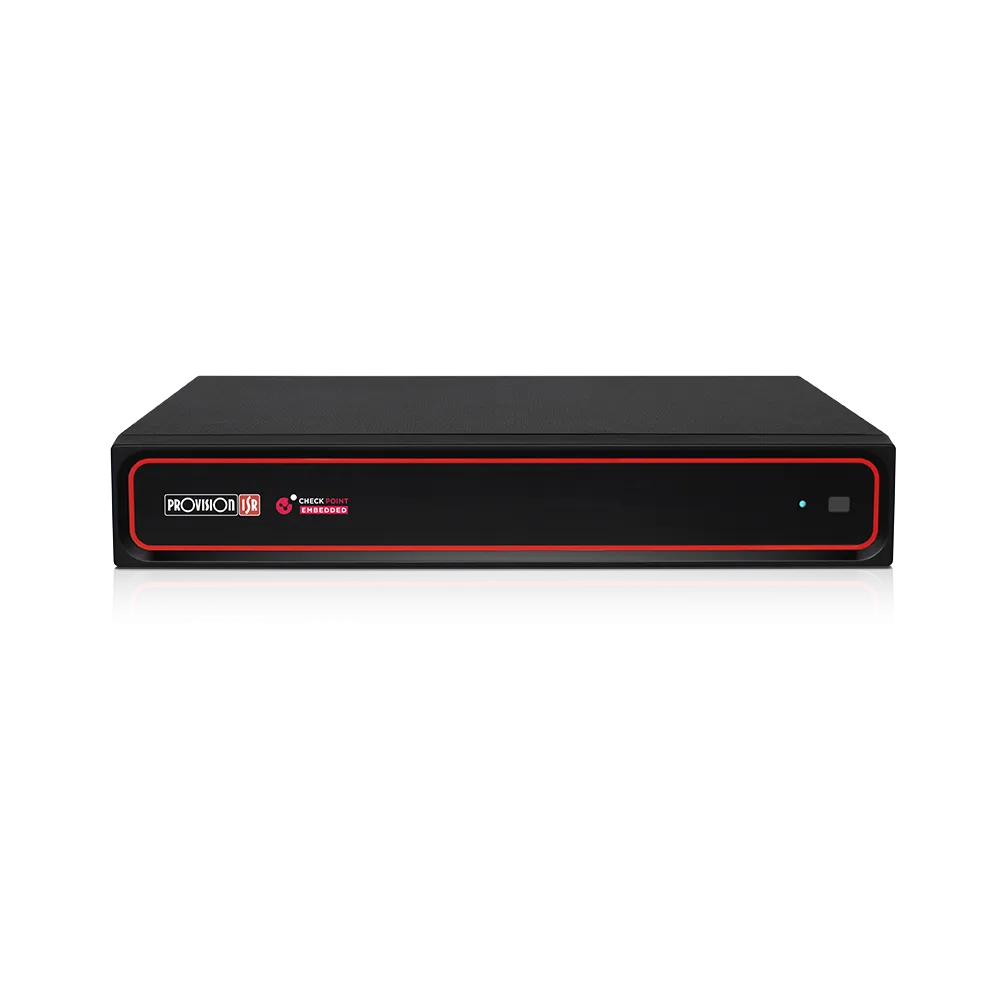
NVR and DVR Installation Los Angeles

We size NVRs and DVRs around the camera plan, the retention goal, and the monitor setup the owner will actually use. A recorder for a small office is not the same as one for a warehouse, apartment building, or parking lot.

We start with a walkthrough, count cameras, choose the right channel count and storage, and match the recorder to the cameras in the field.

Call (877) 429-9988Speak with an estimator/installer today.

Los Angeles CCTV Security Camera Installation

    Recommended NVR and DVR Equipment

    Use these recorder and support cards to show how the system is built around camera count, storage retention, and the way the site is reviewed later.

    16-channel NDAA-compliant smart NVR

    16CH NDAA-Compliant Smart NVR

    Good fit for smaller and mid-size CCTV systems that need stable recording.

    • Remote viewing
    • Scalable channels
    • NDAA-conscious
    32-channel 8MP face recognition NVR

    32CH 8MP Face Recognition NVR

    Better for larger projects that need more analytics and storage headroom.

    • Face recognition
    • RAID support
    • Alarm integration
    128-channel 16MP face recognition NVR

    128CH 16MP Face Recognition NVR

    Built for larger projects that need more channels and stronger storage planning.

    • High capacity
    • Long retention
    • Centralized management
    20-port gigabit PoE switch

    20-Port Gigabit PoE Switch, AI Functions

    Matches medium systems with more cameras and power demand.

    • More ports
    • Better power budget
    • Mixed layouts
    52-port gigabit PoE switch

    52-Port Gigabit PoE Switch

    Built for larger recorder rooms and higher camera counts.

    • Large PoE budget
    • Higher device count
    • Stronger uplink support
    equipment racks and cable management

    Equipment Racks and Cable Management

    Makes the recorder room easier to service and expand.

    • Organized equipment
    • Cleaner serviceability
    • Better airflow

    How we choose the right NVR

    We start with the camera count, then look at what those cameras are covering, how long the footage needs to stay available, and which monitor setup the owner or manager will actually use.

    Offices and small retail suites

    A small office or retail suite often works well with a 16-channel recorder when the system uses a handful of 4K IP cameras at the front door, back door, and cash-handling areas. If the property adds an LPR camera at the gate or an AI camera over the parking area, we increase storage so clips are easy to keep and export. Most of these jobs use a single desk monitor or a front-office viewing station.

    Warehouses and industrial sites

    Warehouses and industrial sites usually need more channels, more storage, and a recorder that can live in a rack with good airflow and service access. These sites often mix PTZ cameras, fixed domes, and bullet cameras on loading docks, yard gates, and interior aisles. We usually plan these around a dual-monitor station or a security desk display so staff can move from live view to playback without slowing down.

    Apartments, parking lots, and estates

    Apartment buildings, parking lots, and larger estates often need a recorder sized around gates, garages, walkways, and multiple camera groups. LPR cameras, PTZ cameras, and AI cameras usually drive the storage plan here, especially when managers want footage available for a longer retention window. These jobs often end up with a manager office monitor, a front desk screen, or a multi-monitor viewing station.

    System design checklist

    Recorder sizing

    The recorder should be sized around the number of cameras, the type of cameras in the field, the resolution, frame rate, and how long the footage needs to stay available. A site with 4K IP cameras, LPR cameras, PTZ cameras, or AI cameras usually needs more storage and recorder headroom than a small analog upgrade.

    Review and export workflow

    A good recording system should make it easy to find, review, and export footage when something happens. We think about who needs access, how footage will be searched, whether monitors are needed, and how remote viewing should be configured.

    Rack, power, and network layout

    The recorder should live in a clean, protected, serviceable location with reliable power, ventilation, cabling, and network access. Larger systems may also need racks, switches, UPS planning, and organized cable management.

    Request a system walkthrough and installation quote.

    Frequently asked questions

    How many channels should an NVR or DVR have?

    The recorder should have enough channels for the cameras being installed now plus room for future expansion. For example, a property with 12 cameras may still benefit from a 16-channel or larger recorder if more cameras are likely later. ONVIF compatibility can be useful when matching IP cameras and recorders; see ONVIF for background.

    How long can security camera footage be stored?

    Retention depends on camera count, resolution, frame rate, motion activity, hard drive size, and recording settings. A 4K multi-camera system usually needs more storage planning than a lower-resolution system.

    What is the difference between an NVR and a DVR?

    An NVR is typically used with IP cameras, while a DVR is usually used with analog or coax-based camera systems. Some upgrade projects may involve replacing the recorder, reusing certain cable paths, or moving to a hybrid system.

    Where should the recorder be installed?

    The recorder should be placed somewhere secure, ventilated, reachable for service, and close to the cabling and network equipment. Larger installs may also need a rack room, UPS planning, and one or more viewing monitors for daily review.

    Call Us Now Request a FREE Quote